Payment Gateway

Plan what happens after checkout.

Explore the card and PayPal choices shown in the actual light checkout component, then map the next step for one product.

Component under qualification. Actual component UI preview with fictional configuration and payments disabled. Payment mode and processing are unverified. Do not enter payment details.

For software product owners, operators and integration partners.

Actual screen excerpt · static preview
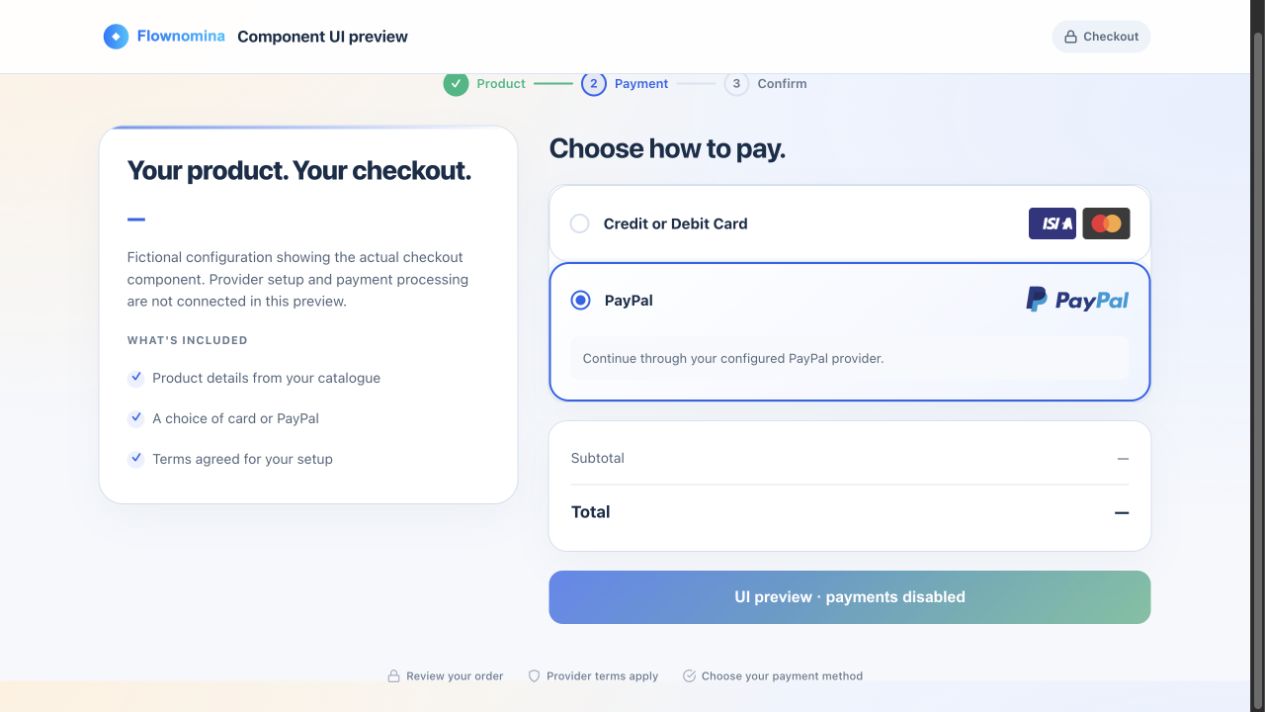
Static checkout excerpt showing Credit or Debit Card and PayPal choices; no payment is being taken
Explore the checkout’s card and PayPal choices.

An image of the interface, with no working payment fields. Third-party payment marks belong to their respective owners; no endorsement or certification is implied.

Open full-size screenshot ↗
One workflow to review

Start with the checkout you already have.

Agree how your product handles the outcome of one checkout: enable access, keep the order waiting, or request a review. Check the current provider and product configuration first; an extra component may not be needed.

1

Choose one offer

Name the existing checkout and the product or service it relates to.

2

Agree the next step

Describe what should happen in the product after each outcome.

3

Include uncertainty

Consider failed, abandoned, repeated and unknown outcomes alongside success.

4

Verify the handover

Confirm the selected provider, release and agreed checks before live payments or product access.

Fictional example · proposed review

One checkout. A clear next step.

Harbour Works, a fictional software product, reviews how one existing Starter checkout outcome reaches its agreed access or pending-review state. First check whether the current provider-hosted checkout and product already handle this.

Starter is an illustrative offer label. No price, payment or product access is demonstrated.

Questions to work through

Confirmed outcome

What authoritative evidence should enable the agreed access?

Failed or abandoned

What should the person see, and what stays waiting?

Repeated or unknown

What needs checking before changing access again?

Illustrative review questions. These controls have not been accepted as implemented product behaviour.

What the preview shows

See the design. Qualify the workflow.

Payment-method layout

The approved screen excerpt shows card and PayPal choices. Those labels do not establish current provider or merchant support.

A bounded handover

Bring one existing offer, its checkout and the next product state you want to review.

Readiness to confirm

Provider setup, authoritative outcomes, recovery and product access need separate verification for the selected release.

Static design preview

Explore the payment-method design.

Open the actual screen excerpt to inspect the card and PayPal layout. This page offers a screenshot rather than a payment session.

Payment mode and processing are unverified. Do not enter payment details. No transaction, settlement, subscription or access handover is demonstrated.

Static screen excerpt of card and PayPal choices; payment mode unverified
Actual screen excerpt, shown as an image. Third-party payment marks belong to their respective owners; no endorsement or certification is implied.
Review one product workflow

Bring the checkout and the next step.

Show us the existing offer, provider checkout and the product state you need to review. Start with what is already working, then identify any remaining gap.

Live payments and product access need a separately verified provider, release and agreed checks.